
— Forecourt. Car search, fixed.
- A free Chrome extension for Auto Trader UK.
- Self-initiated, designed and built end to end.
- From a single 0-60 widget to 29 features.
- Client
- Self-initiated

01/ Summary
- — Services
- Product design
- User-interface design
- Brand and naming
- Front-end engineering, with AI
- Automated testing
- Launch and promo video
- — Deliverables
- A Chrome extension (Manifest V3)
- A settings app and toolbar popup, in light and dark mode
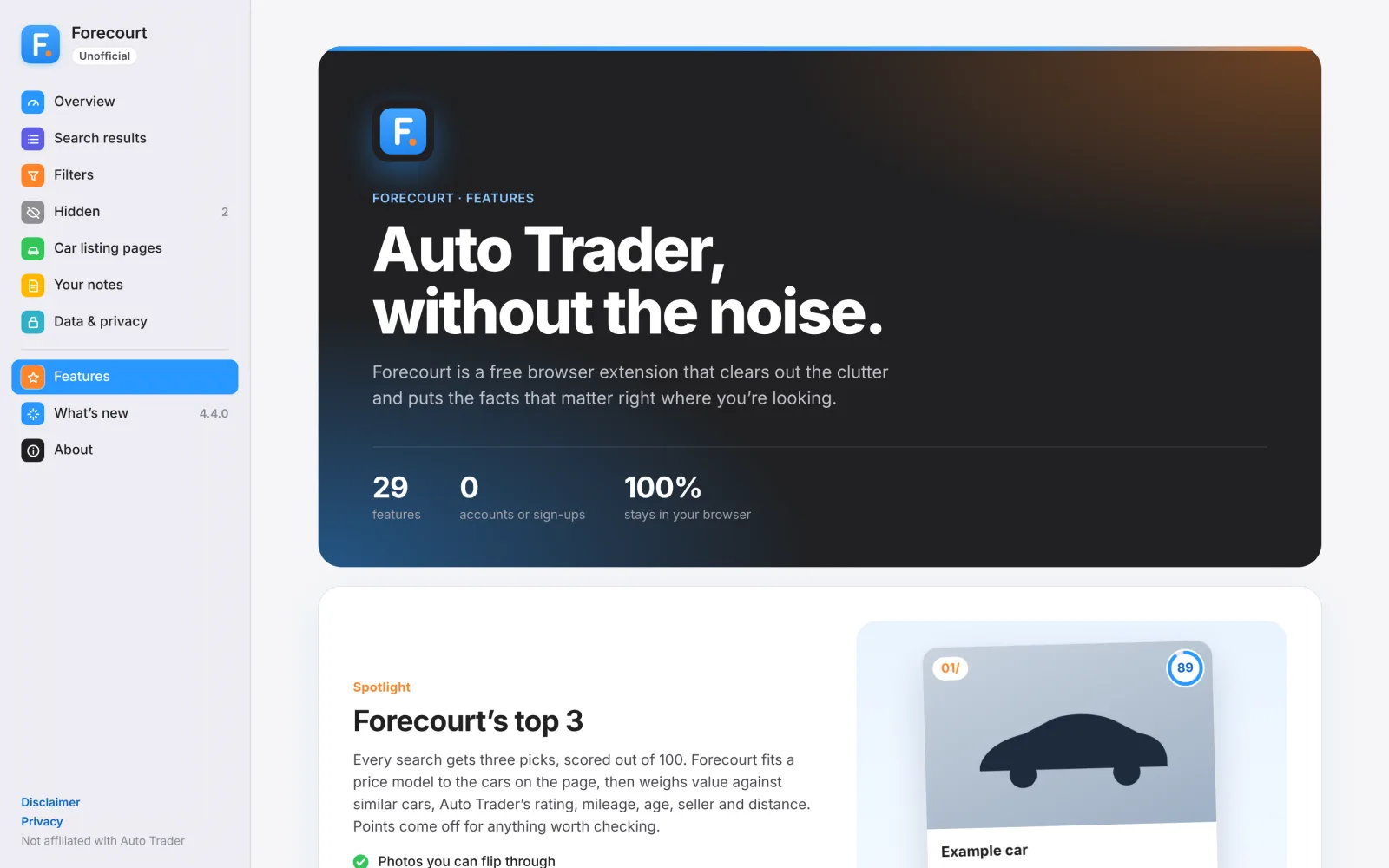
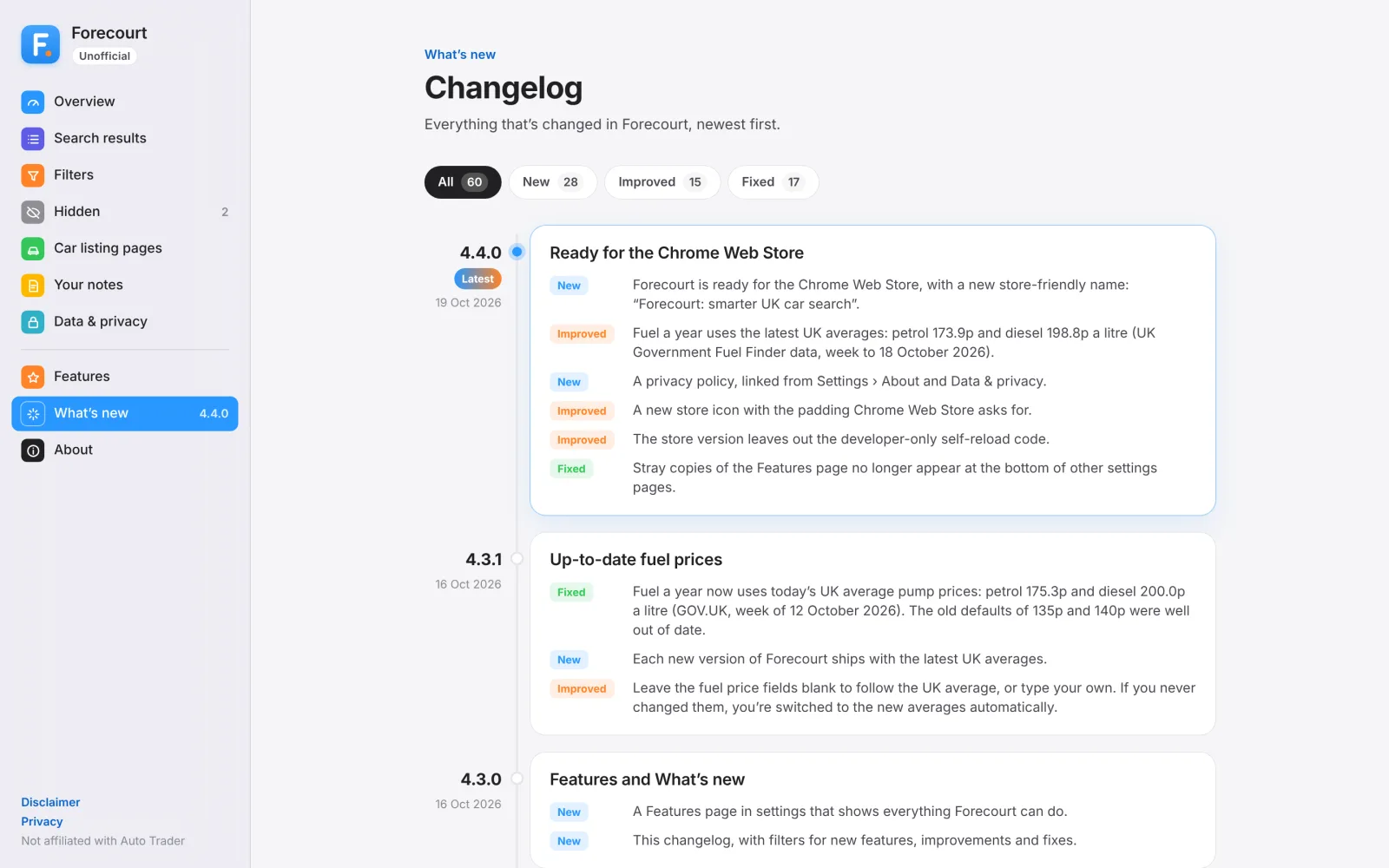
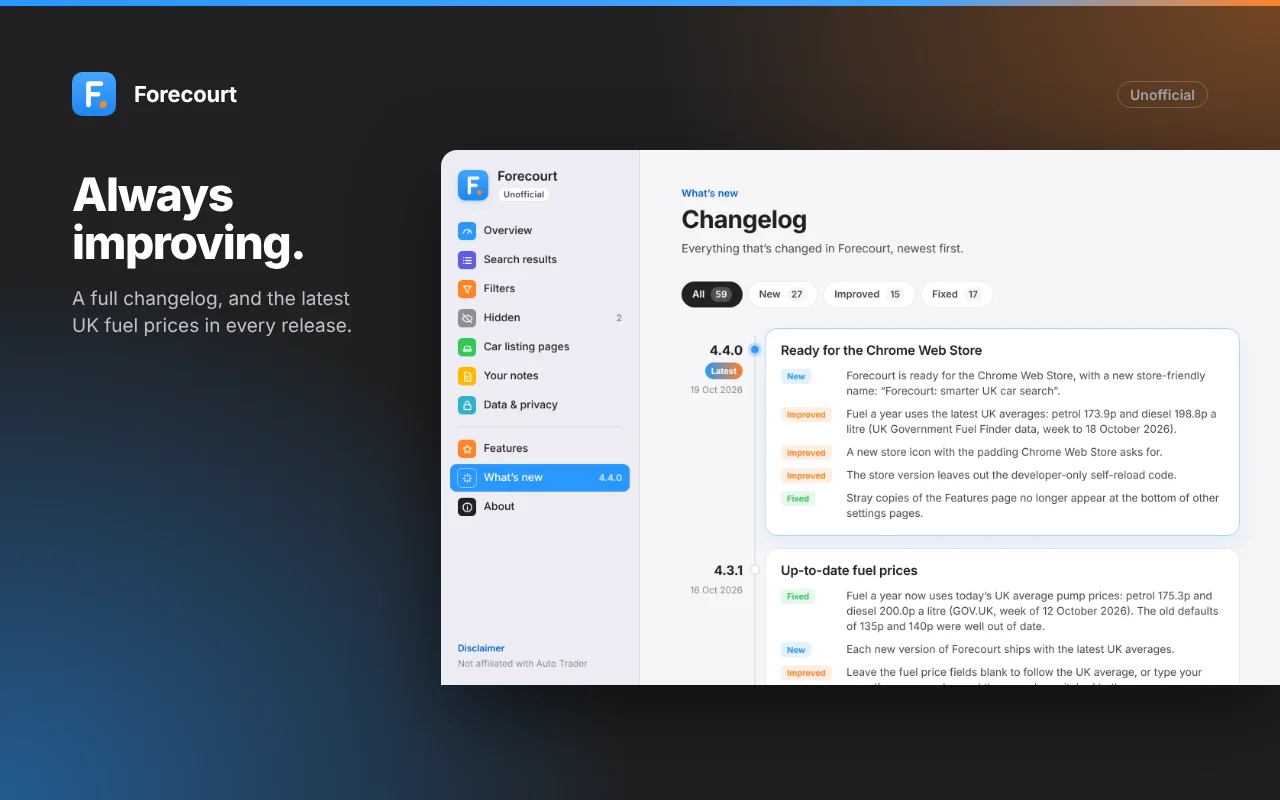
- A Features page and filterable changelog
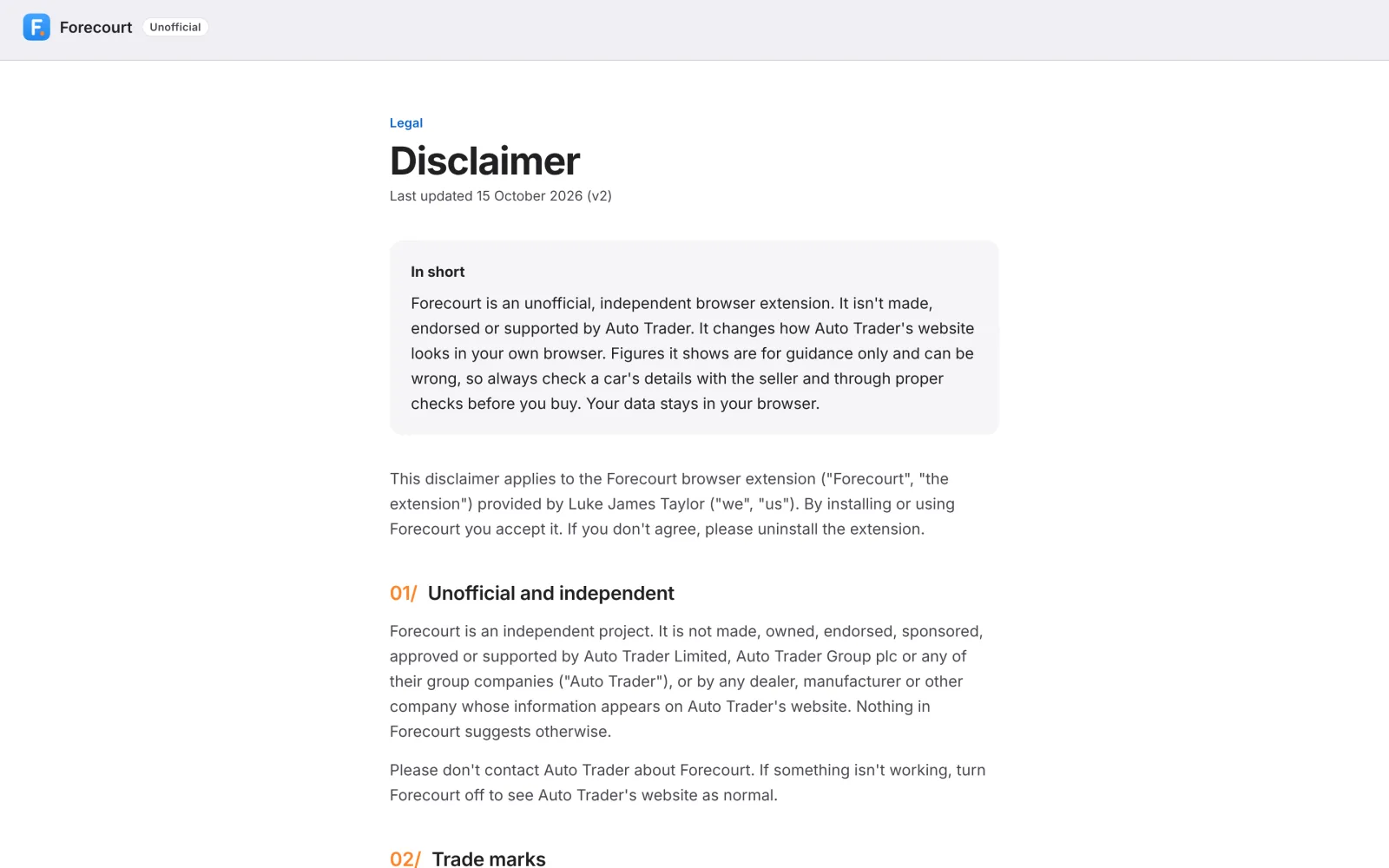
- A disclaimer and privacy policy
- A Chrome Web Store launch pack
- A promo video
- — Outcomes
- Faster to compare: 0-60, power and torque on every car, without digging into the spec
- Less noise: promoted listings and ads hidden or faded, with the reason shown
- More context: when each car was listed, its miles a year and any price drop, right on the results
- Quicker shortlists: three best-value picks on every search, with the reasons in plain English
- Safer bargains: a “Check why” checklist on every car priced below market
- No lost searches: “Back to results” returns to the exact search, even from a new tab
02/ Understanding the problem
My own frustration
I was shopping for a car and kept doing the same tedious thing on Auto Trader. I'd open "View all spec and features", then "Spec", then "Performance", just to see a car's 0-60 time.
When you're comparing dozens of cars, that cost multiplies. So I set out to build a tiny extension that put 0-60 next to the other key specs.
It wasn't just 0-60
- Promoted listings, ads and featured dealers sat among the cars I'd searched for. Sometimes for cars I hadn't searched for at all.
- I couldn't see how long a car had been for sale, whether its mileage was high for its age, or whether its price had changed.
- The price indicator gave its weakest colour to the cheapest cars.
- A cheap car can mean a quick sale, or a write-off, an import or missing paperwork. That needs a warning, not just a badge.
The insight
People don't need more information on Auto Trader. They need the right few facts surfaced where they're already looking, and the noise removed.
The principle
That shaped every decision. Add only small, labelled pieces in context, and never get in the way of the listing photos.
03/ From widget to product
0-60 widget
0-60 added to the car’s Overview list, read automatically from Spec › Performance. It grew into a dedicated Performance card with its own link in the page’s section nav.
Car Hunter
A full extension. I looked at existing Auto Trader extensions and forum requests, then built hiding promoted listings, ads and dealers, date listed, keyword filters, write-offs, viewed cars, price changes, miles a year and notes.
Pitlane
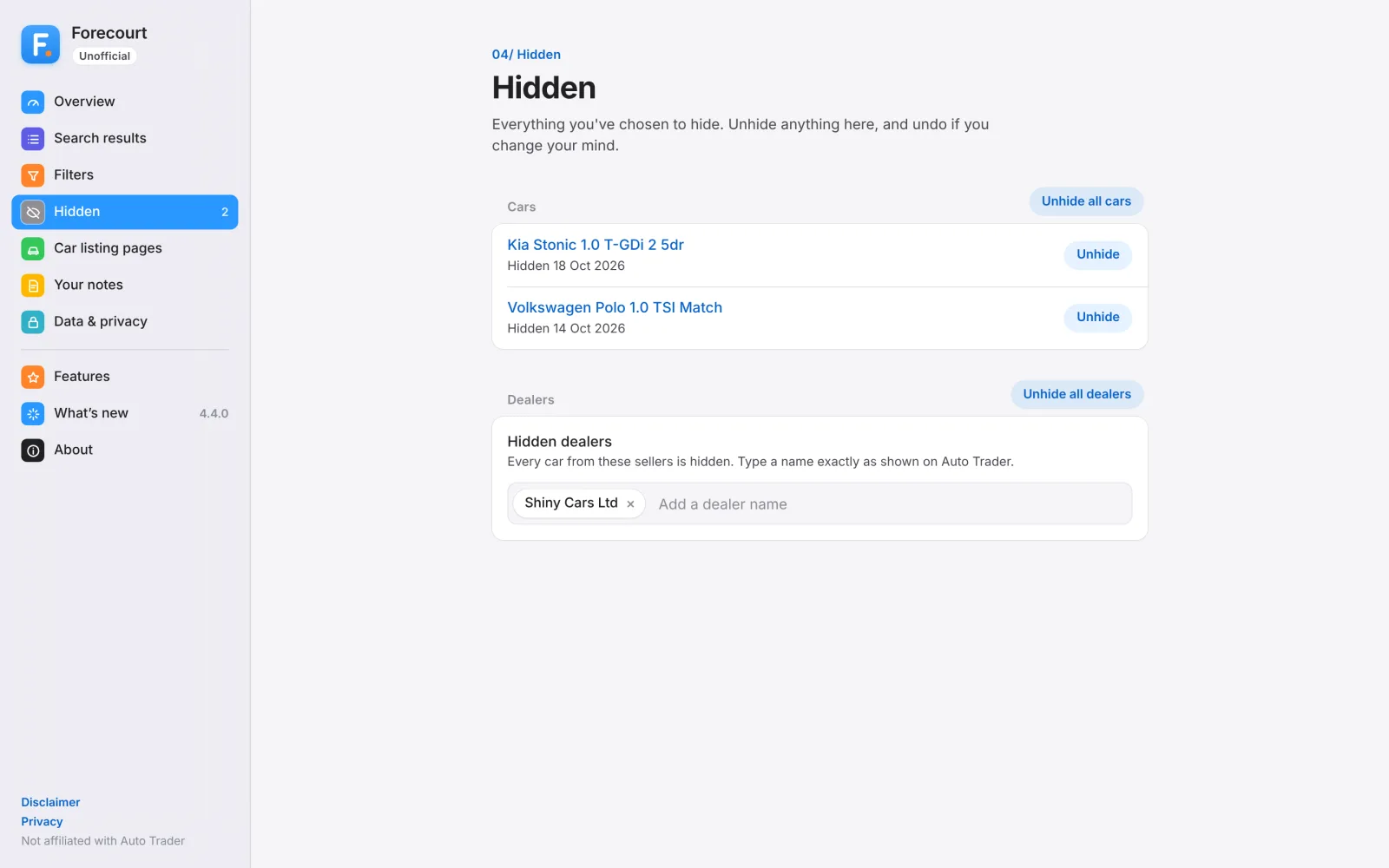
A complete UX overhaul in this website’s palette. Remove vs Fade made obvious, Unhide all with Undo, and clear “Unofficial” labelling with a disclaimer page.
Forecourt
Renamed with a new logo. Stats inside each result card, value-first price colours, top 3 picks, a mini gallery, a Features page, a changelog and a Chrome Web Store launch.
Naming as design
Pitlane didn't last. A pit lane is where cars go when something's gone wrong, which isn't the feeling you want when you're buying one.
A forecourt is where good cars are on show. The store name became "Forecourt: smarter UK car search" to keep Auto Trader's trademark out of the title.
Shipping fast
The 4.x releases, from 4.2.0 to 4.4.0, shipped between 15 and 19 October 2026. They added the top 3 picks, the mini gallery, a Features page, a changelog and finally a Chrome Web Store ready build with developer code stripped out.
04/ Cleaner results
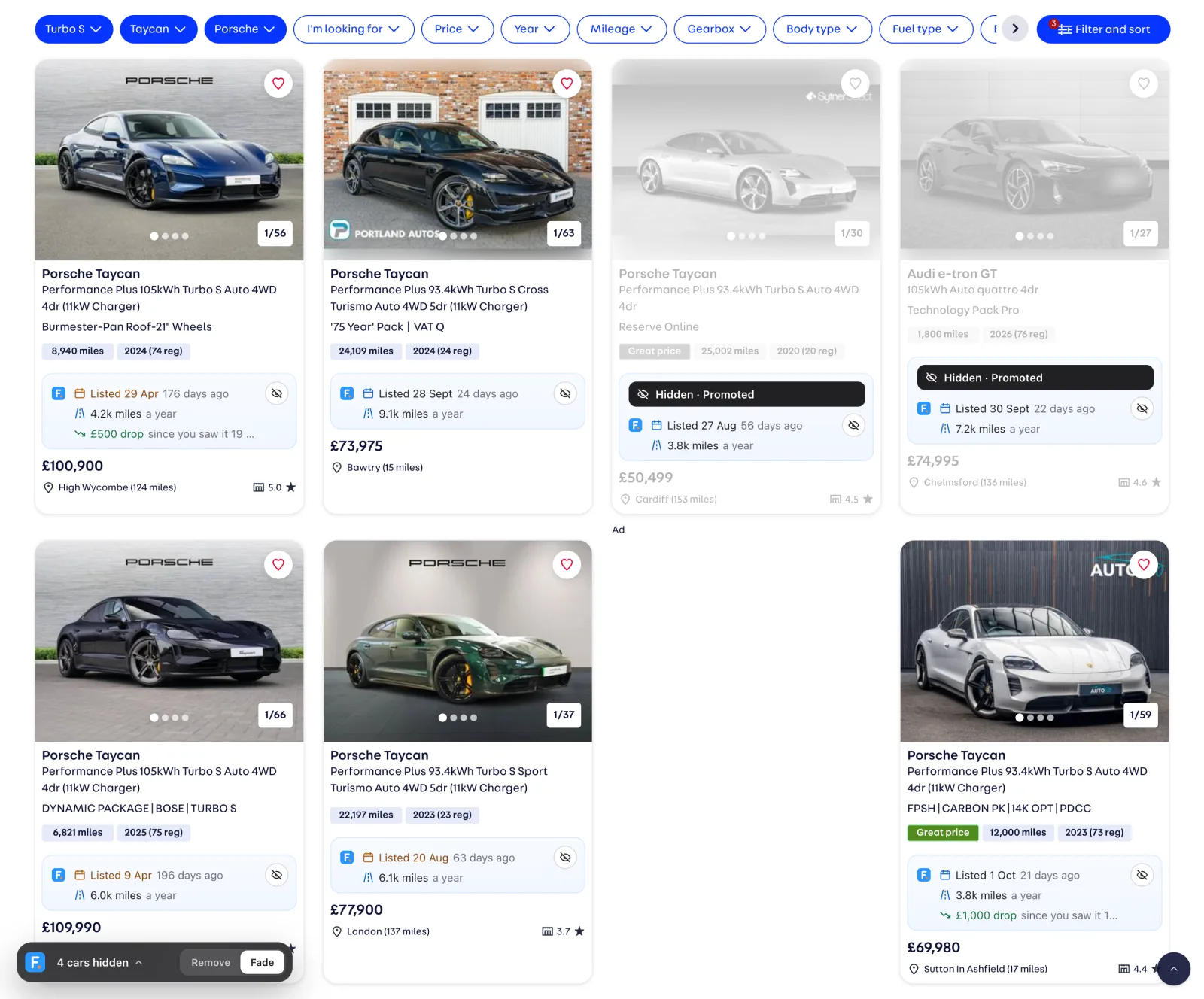
Never cover the photos
The first version of the per-car stats put tags over the listing photo. They got in the way of the one thing everyone looks at first, so they had to move.
The stats became their own section inside each result card, just above the price, with icons. Getting this right on Auto Trader's real markup took several rounds: fixed-height cards, a stretched title link that captures clicks, and carousels that load lazily.
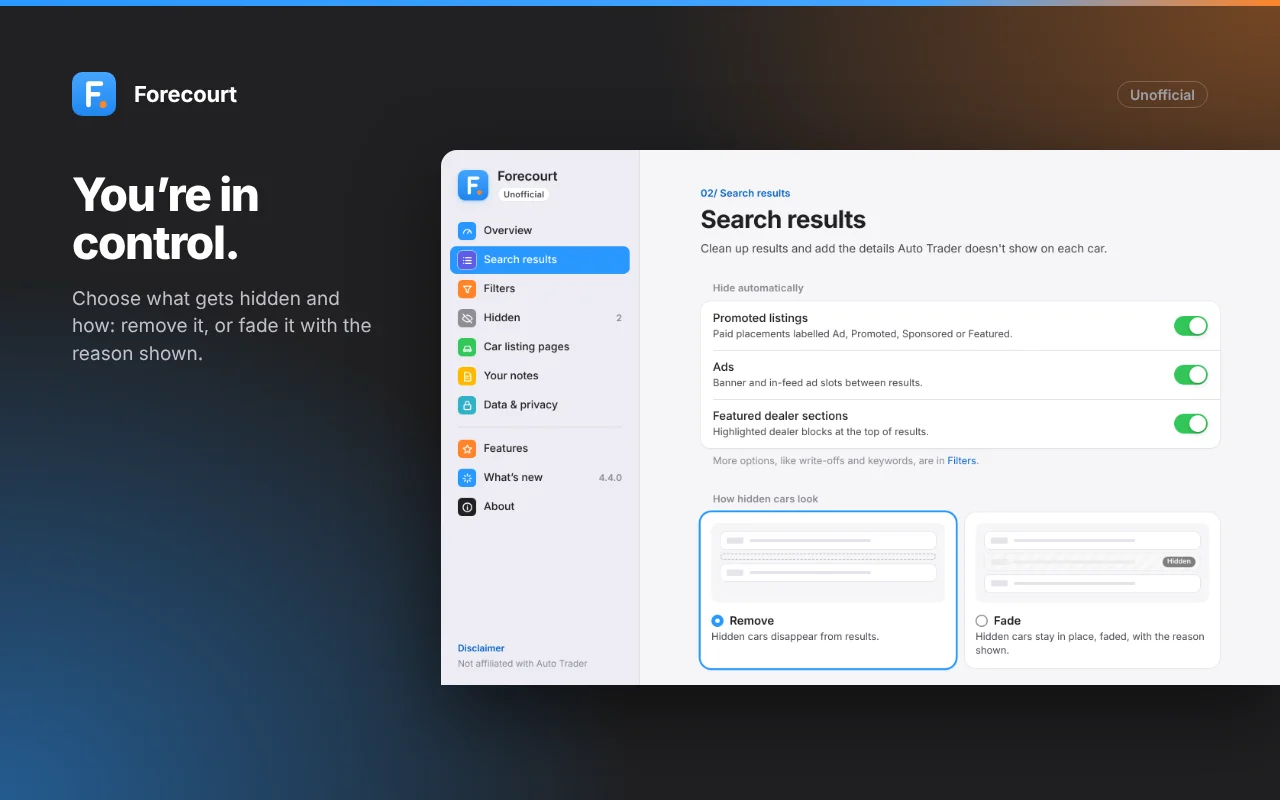
Remove vs Fade
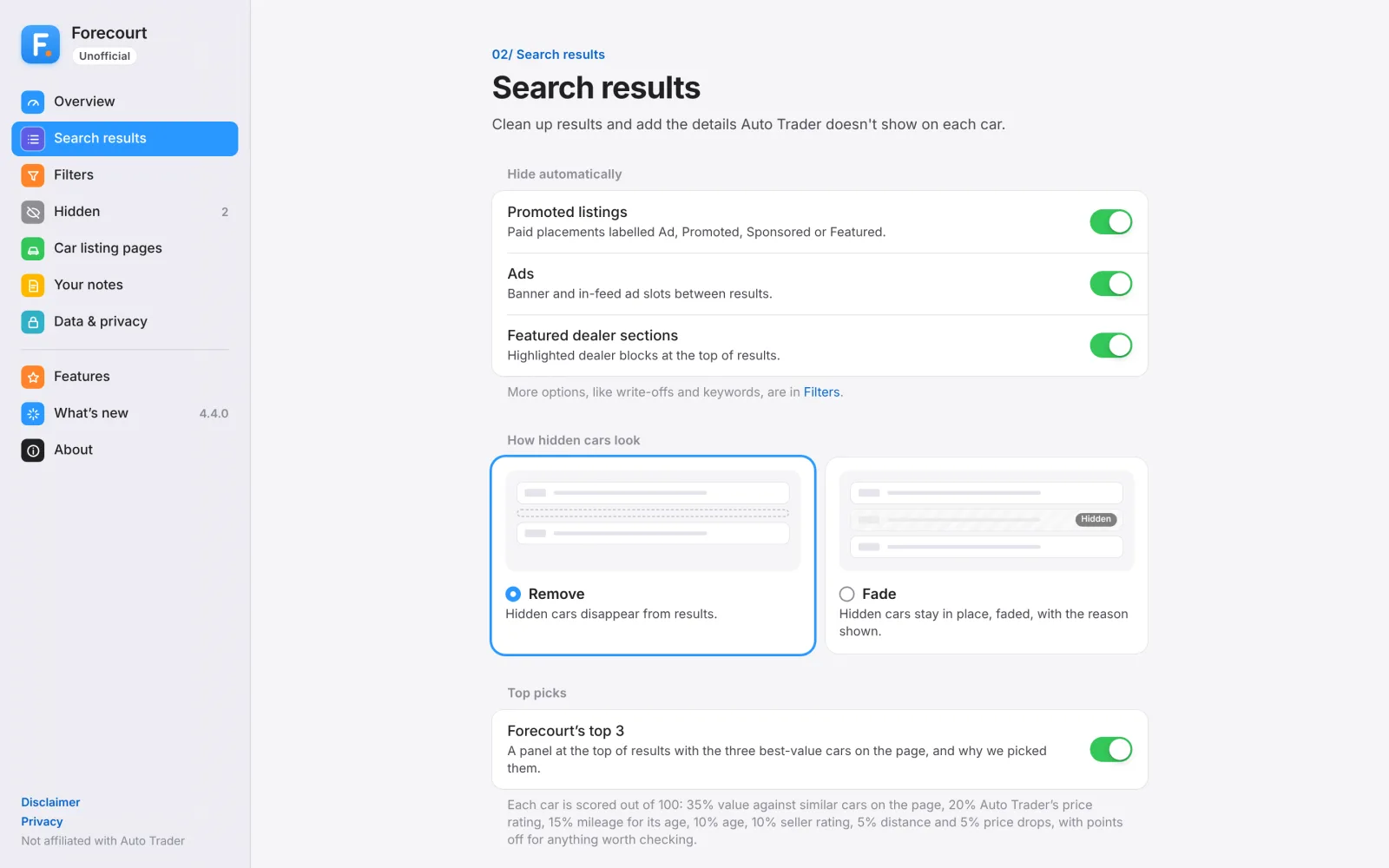
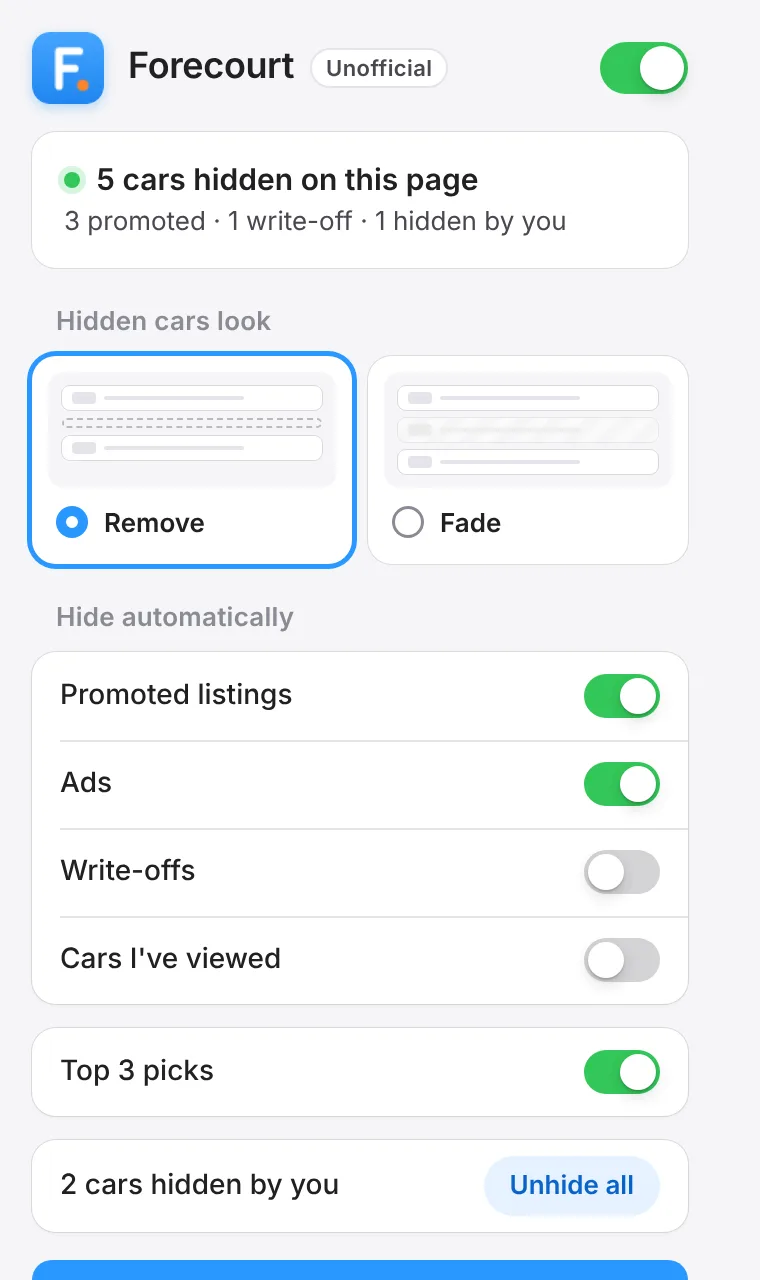
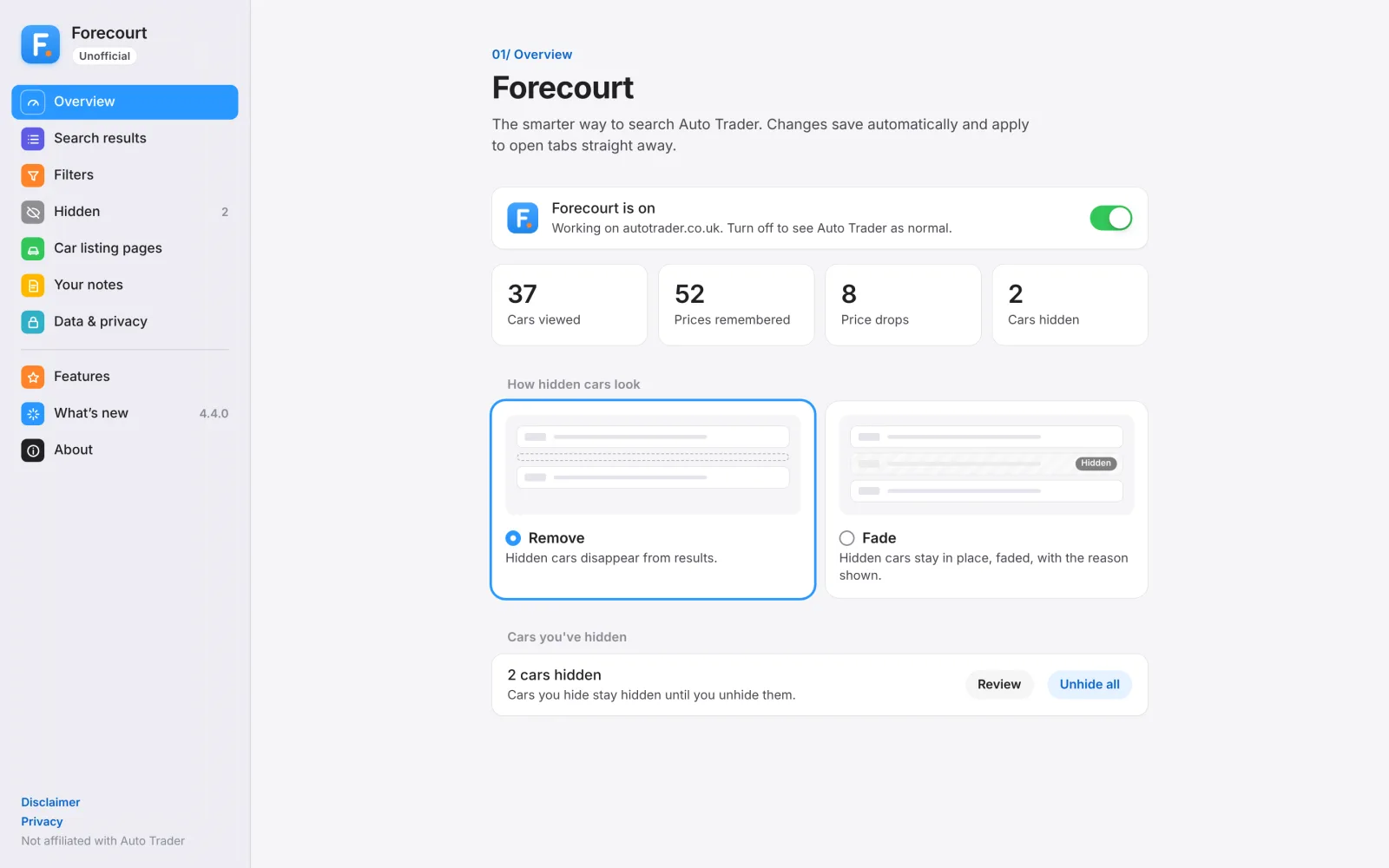
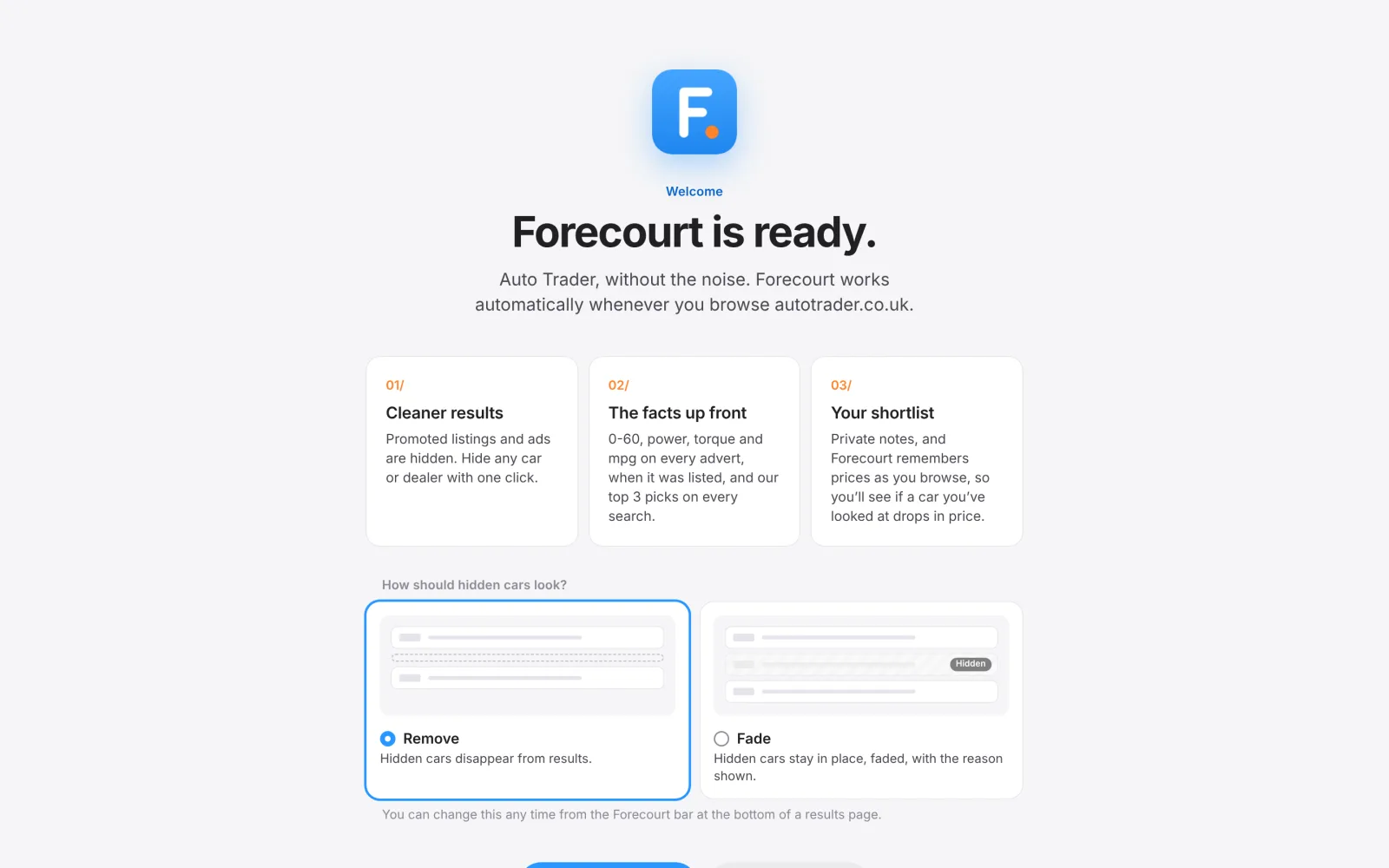
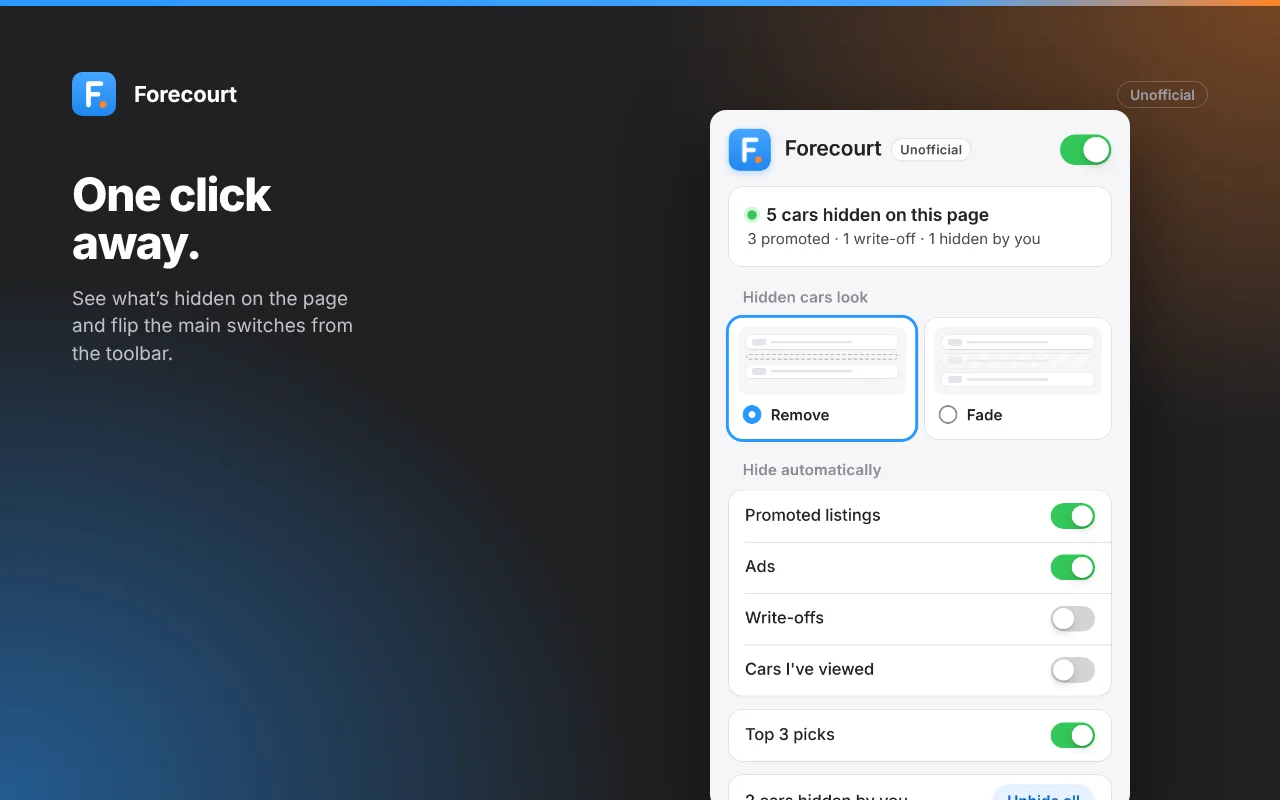
Some people want hidden cars gone. Others want to see what was hidden and why. Both modes are first-class: a segmented control in the Forecourt bar, and illustrated picker cards in settings and the popup.
In Fade mode, each hidden car shows its reason: "Promoted", "You hid this car" or "Insurance write-off". Every hide has Undo, and so does "Unhide all".
05/ Value, made visible
Value-first colours
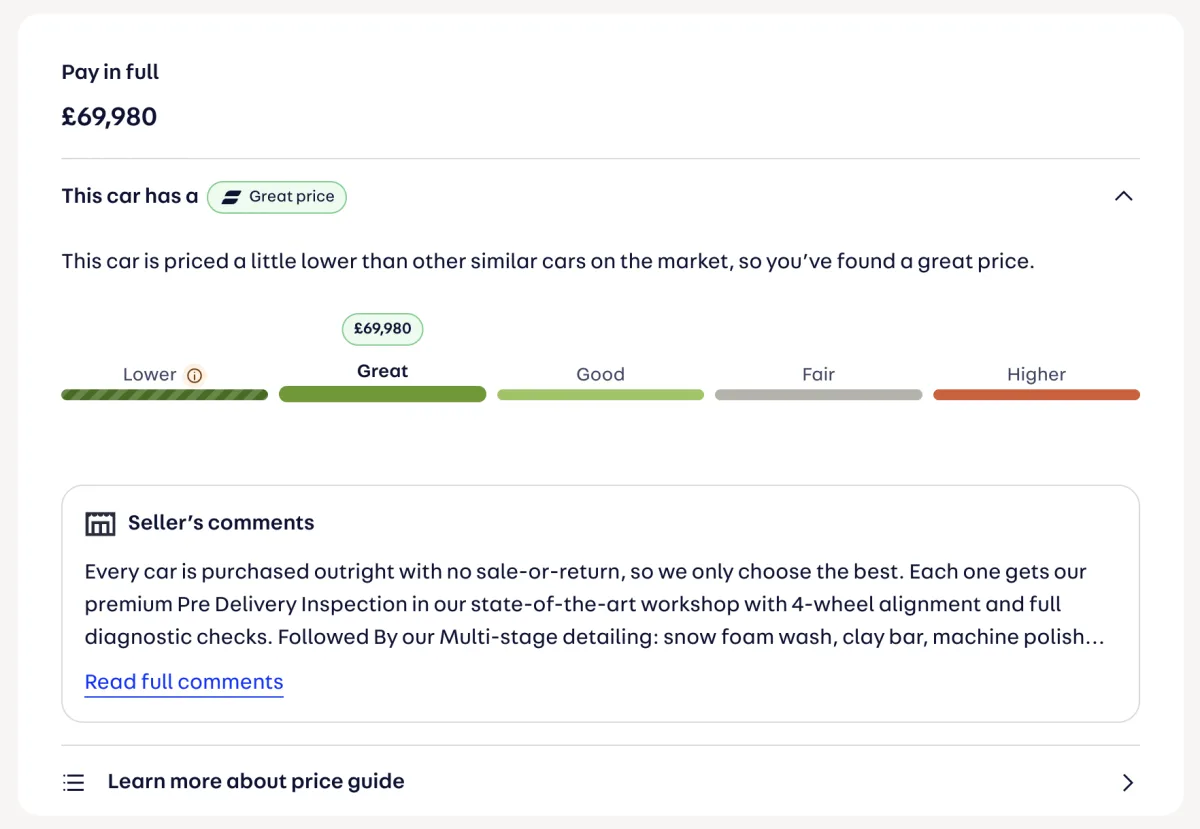
Auto Trader's price bar gave its strongest colour to "Good" and a pale grey to "Lower". The cheapest cars got the weakest colour, when a lower price is usually exactly what you're looking for.
Forecourt recolours it so cheaper is greener. The same scheme applies to the price badges on every result.
Forecourt's price scale
Lower #3B6D11 (striped)
Great #639922
Good #97C459
Fair #B4B2A9
Higher #D85A30
Cheap needs context
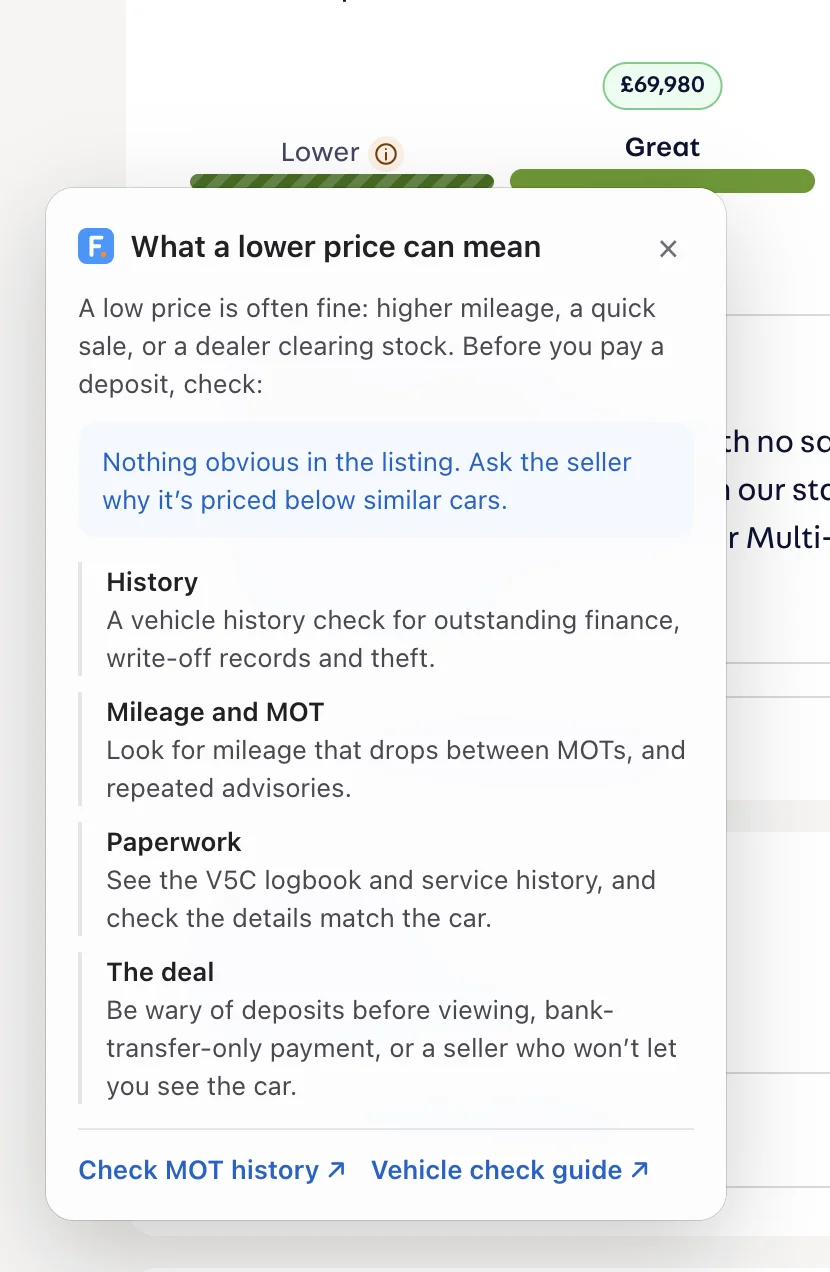
Colouring cheap cars greener could push people towards risky ones. So every below-market car gets a "Check why" tip.
It lists what Forecourt spotted in the listing, like a write-off category, left-hand drive, damage wording, missing MOT or many owners. Then a short checklist: history check, MOT history, V5C and service history, and how to avoid deposit scams, with links to the GOV.UK checks.
Honest about what it knows
Auto Trader doesn't show price history. So Forecourt remembers the price each time you see a car, in your browser, and only shows a change once you've seen it before.
An early version read the wrong number and showed a phantom "Up £5,699". Working out why led to a stricter price reader, and wording that says exactly what it is: "Price since you first saw it".
06/ Forecourt's top 3
How the picks work
For each search page, Forecourt reads every car's price, mileage, age, price rating, seller rating, distance and days on sale.
It then fits a price model to the cars on that page: a regression of ln(price) on age and ln(miles + 1,000), which needs at least six cars. How far each car sits below what the model expects becomes its value score.
Points come off for anything worth checking, like a write-off, damage, an import or paperwork issues. Promoted listings, ads and cars outside your searched make and model are never picked.
Explained, not just scored
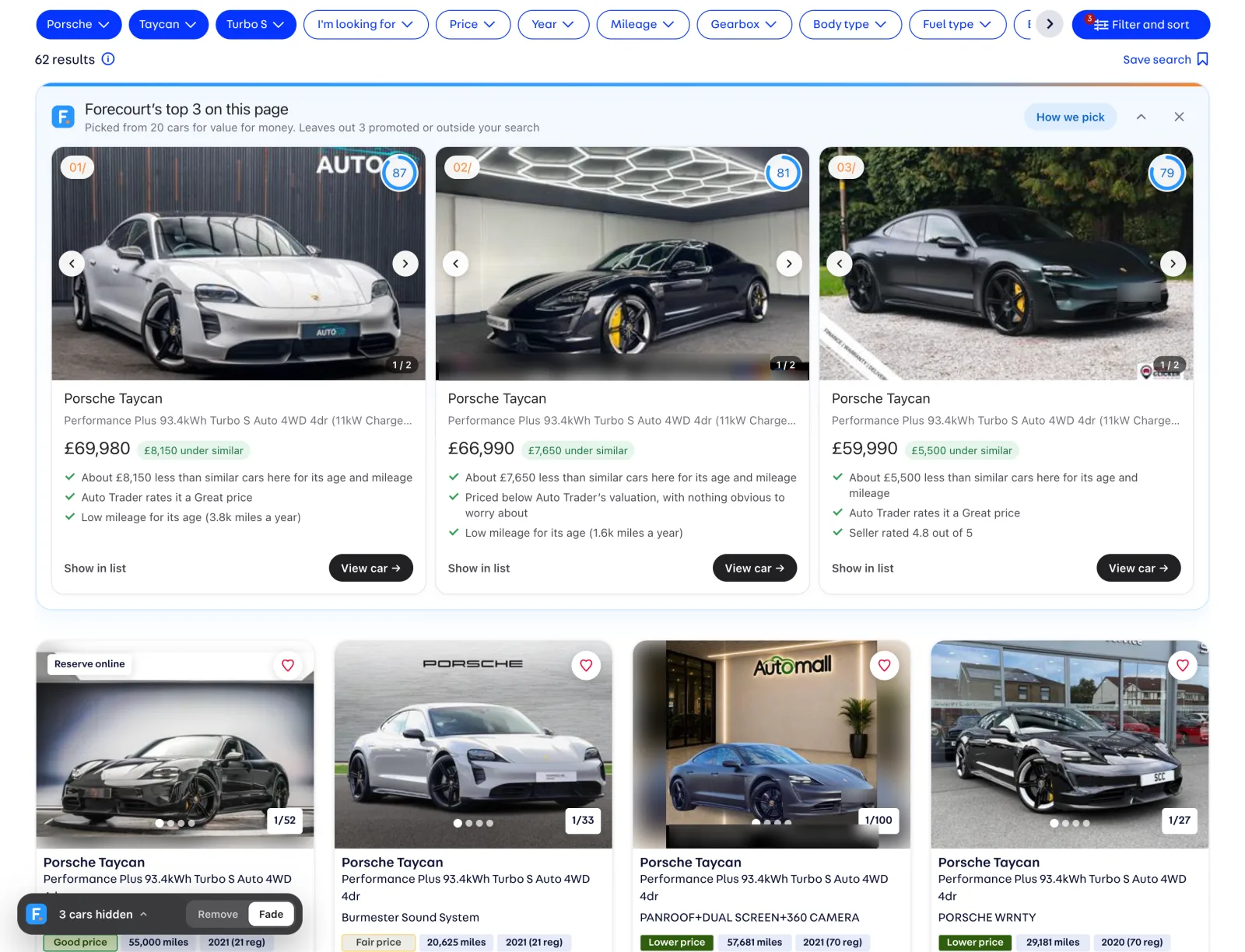
Each pick says why: "About £14,350 less than similar cars here for its age and mileage", "Low mileage for its age", "Seller rated 5.0". A "How we pick" panel explains the weights.
The exclusions came from using it. I spotted Audi e-tron GTs in my Porsche Taycan picks.
What makes up a score out of 100
35% Value against similar cars on the page
20% Auto Trader’s own price rating
15% Mileage for its age
10% Age
10% Seller rating
5% Distance
5% Momentum: a price drop or time on sale
"Picks only use what's on this page, so they change as you filter or load more. They're a starting point, not advice. Always check the car."
07/ Every car, decoded
Performance card
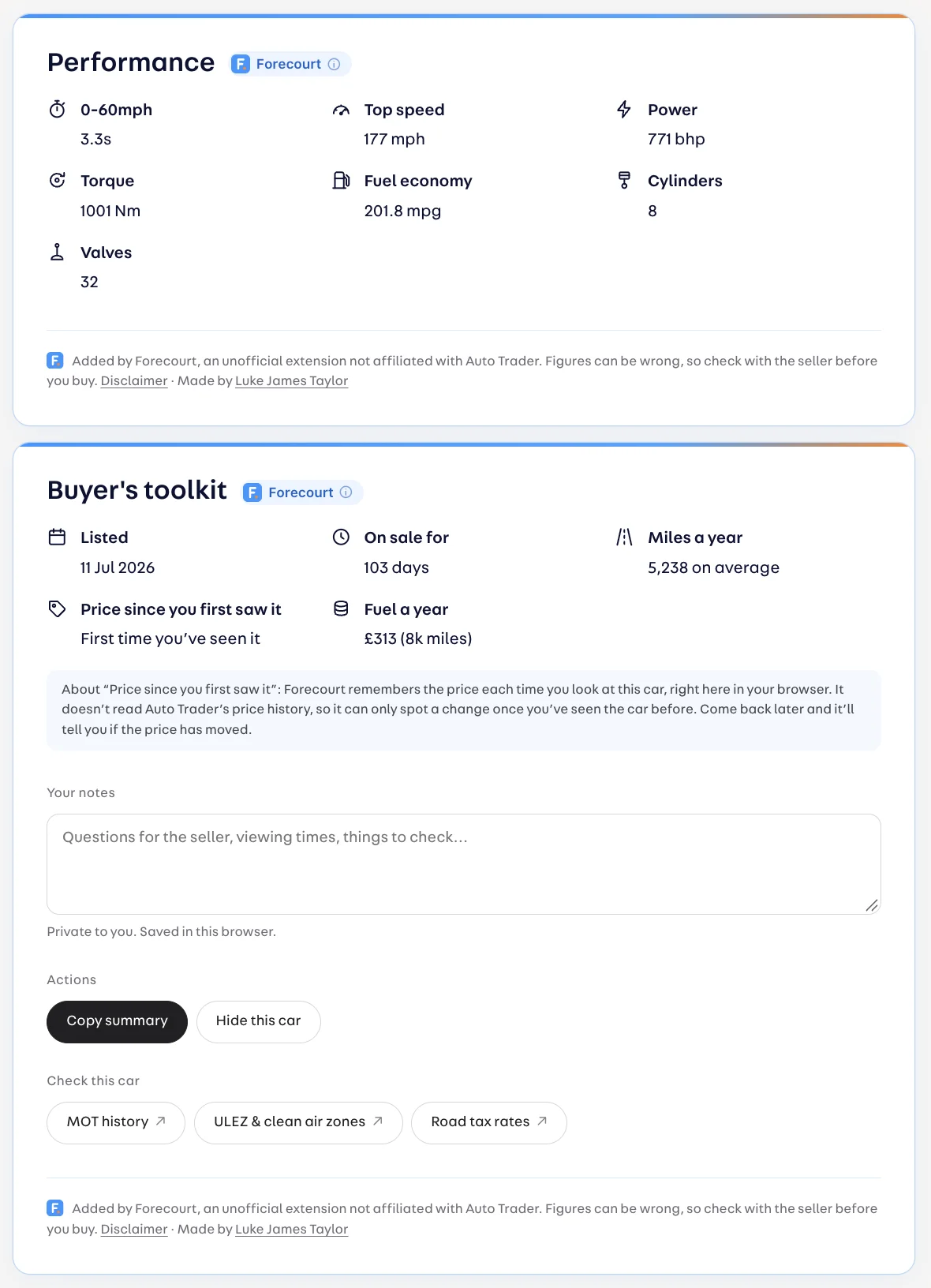
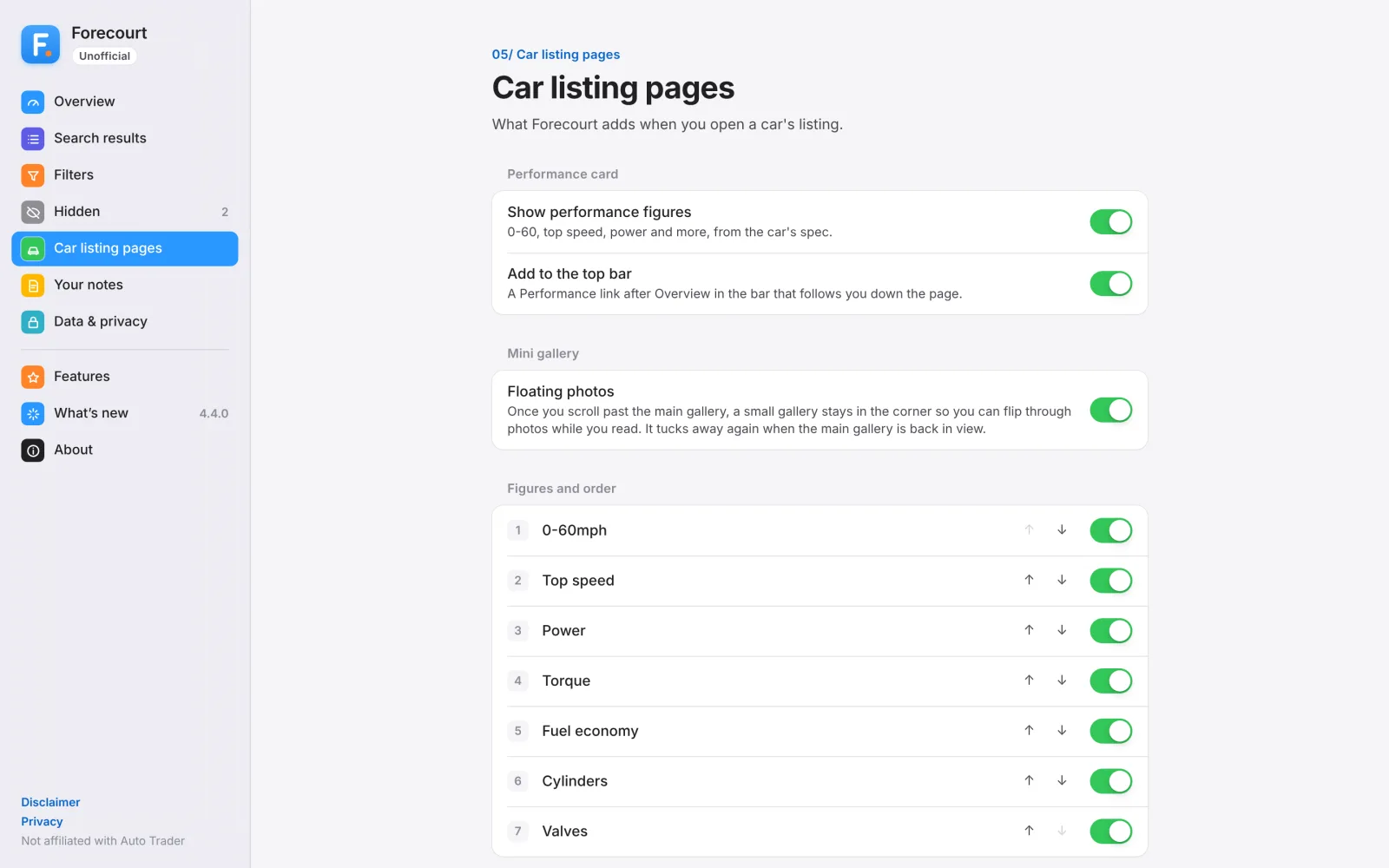
The original idea, done properly. 0-60, top speed, power, torque, mpg, cylinders and valves, in an order you can choose, with its own Performance link in the page's sticky section nav.
Buyer's toolkit
Date listed, days on sale, miles a year, price since you first saw it, fuel cost a year, owners, MOT expiry, seller postcode and partial plate. Plus quick links to the GOV.UK MOT history and vehicle check guide.
Small helpers that respect flow
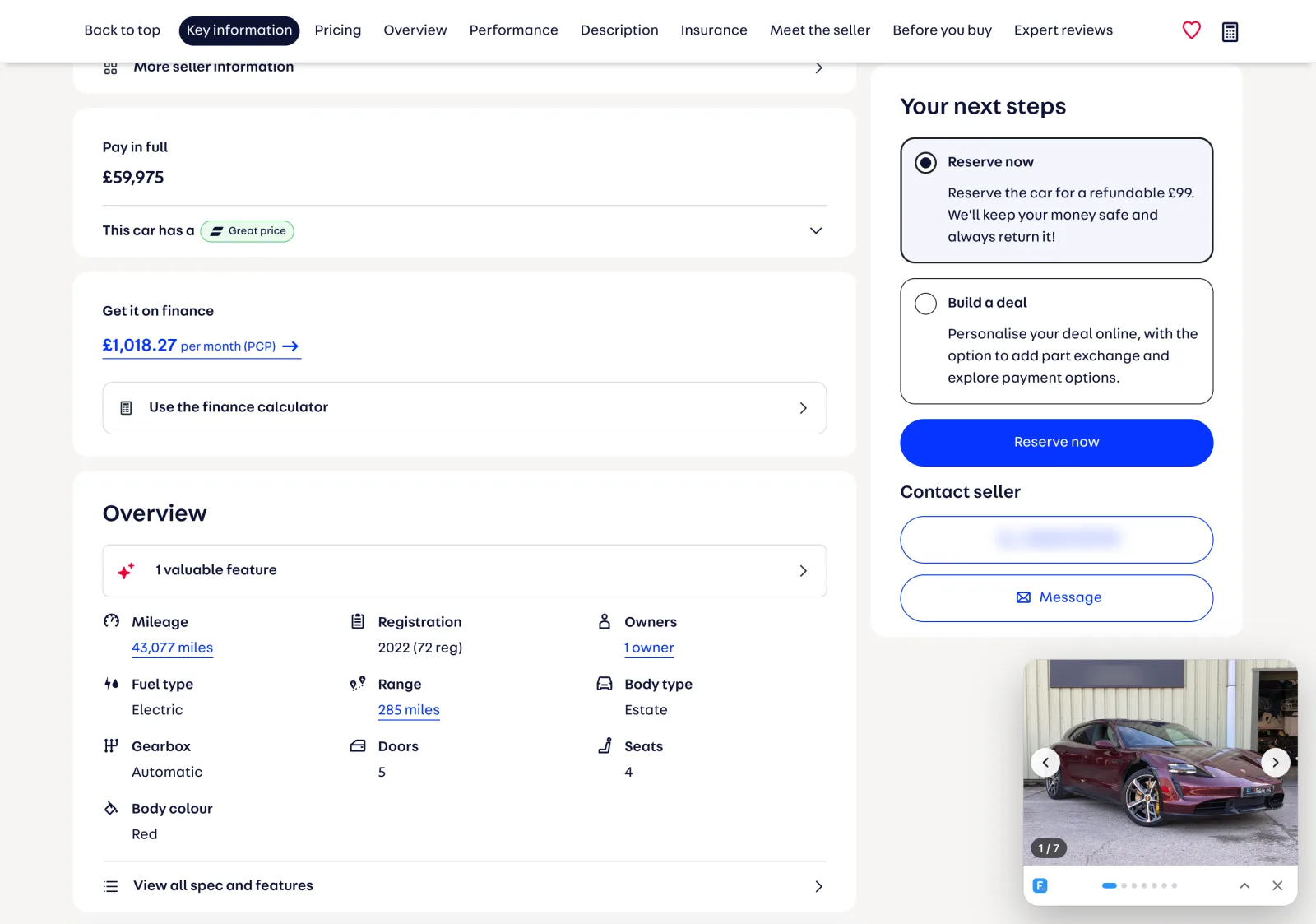
Once the main photos scroll away, a mini gallery follows you in the corner.
Auto Trader's "Back to results" link lost searches opened in a new tab. "Keep my search" remembers the full search and scrolls you back to the car you came from.
Fuel costs that stay true
The first default pump prices were badly out of date. Each release now ships the latest UK averages from government data. In 4.4.1 that's 174.6p for petrol and 199.3p for diesel, for the week of 19 October 2026.
08/ Designing the details
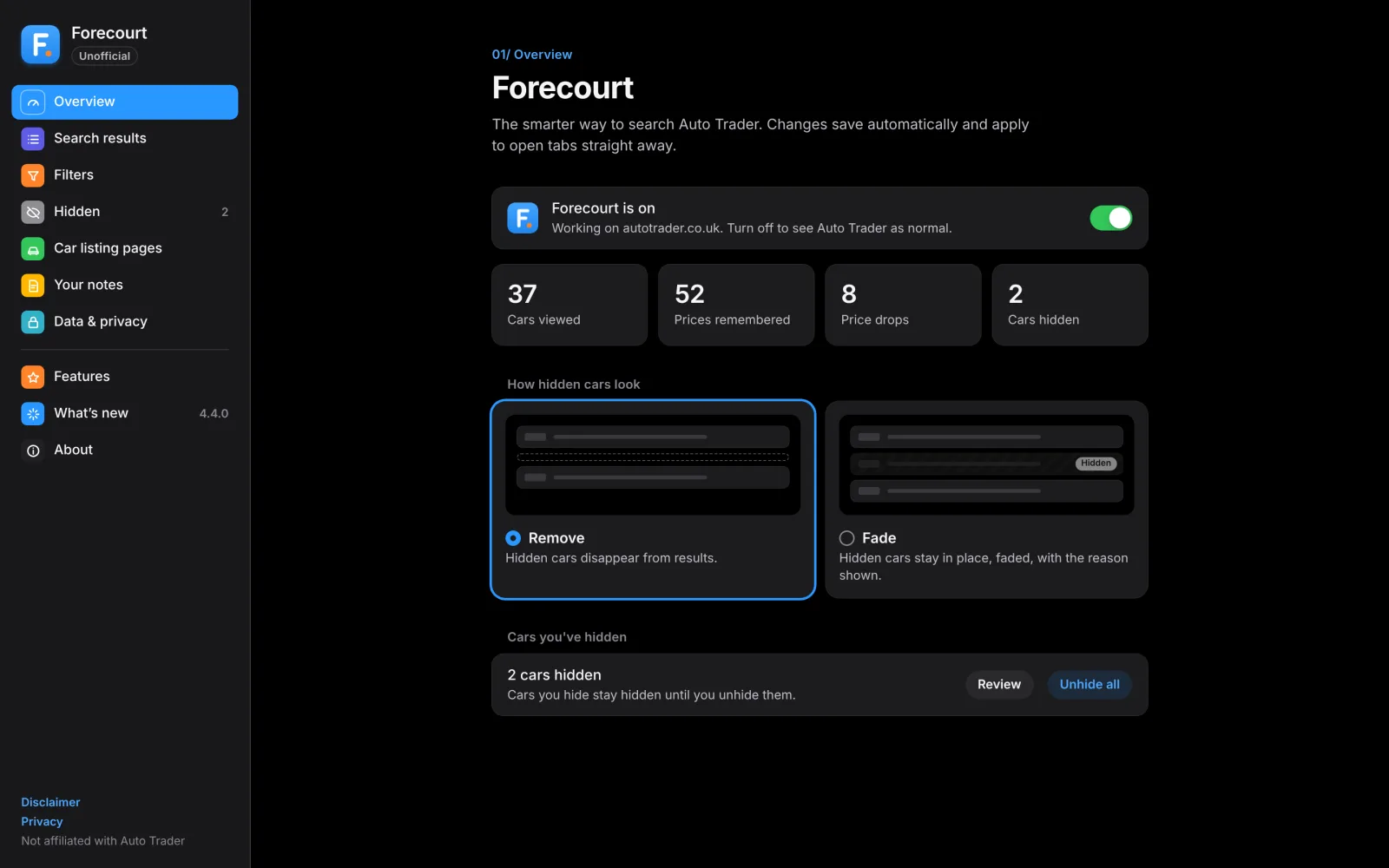
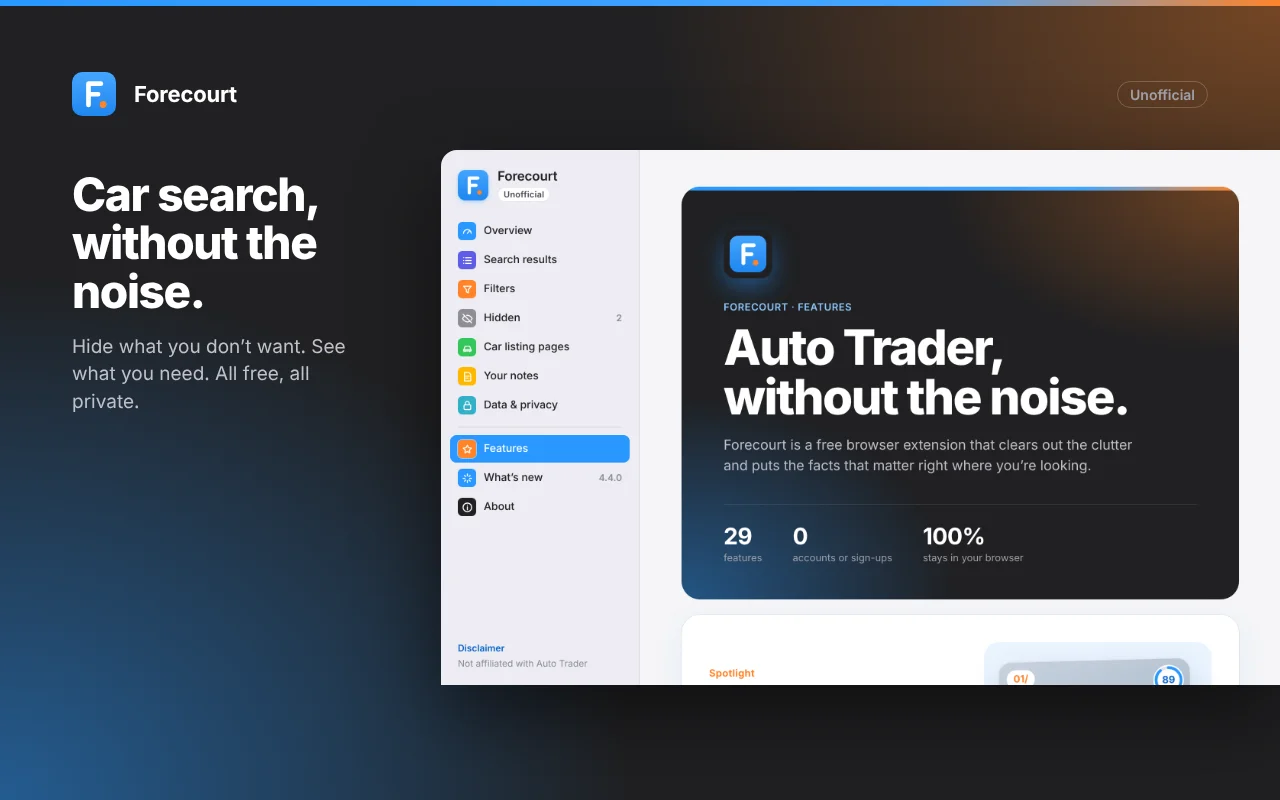
The settings app uses a sidebar of coloured icon tiles, iOS-style switches and numbered page eyebrows, just like this website. The overview shows live stats: cars viewed, prices remembered, price drops and cars hidden.
The palette is taken straight from this website: blue #2997FF, orange #FF8429 and its greys. The logo is a blue tile with a white "F" and an orange dot, like a car parked on the forecourt. It all works in light and dark mode.
Welcome
Hidden cars
Features page
Changelog
09/ Trust by design
Labelled in context
Everything Forecourt adds carries a small "Forecourt" tag. Clicking it explains what Forecourt is, that it isn't made by or affiliated with Auto Trader, and that data stays in your browser.
Its cards copy the look of Auto Trader's own, but add a branded gradient stripe and a footer. They read as native, but distinct.
Private by default
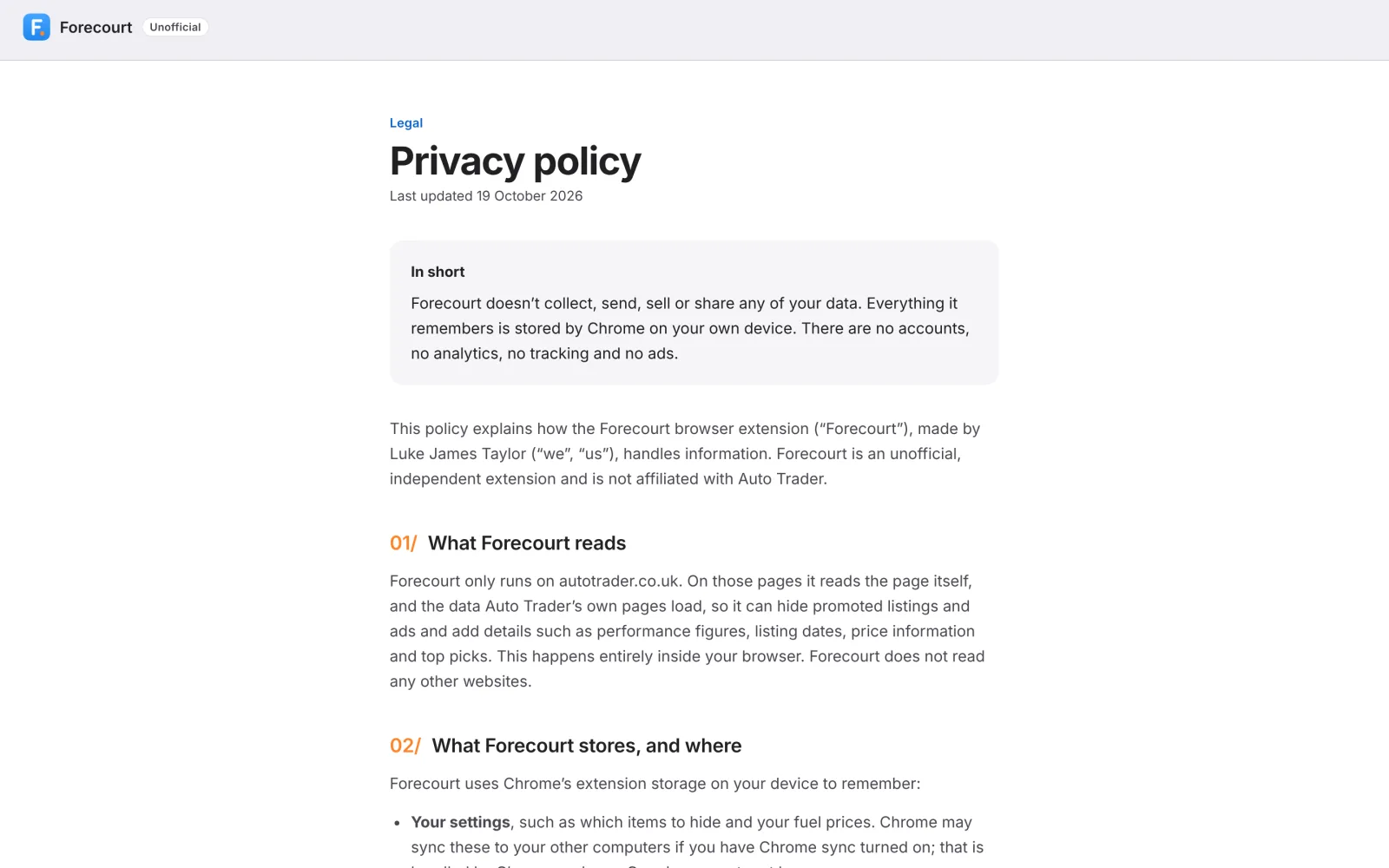
No accounts, no servers, no analytics. Everything is stored on your own device, and viewed cars and remembered prices are deleted after 180 days.
There's a 13-section disclaimer, a privacy policy, and no Auto Trader logo anywhere.
10/ Behind the scenes
Finding things by meaning
Auto Trader is a single-page app with generated class names, and it changes. Forecourt finds things by their text labels, test IDs and structure rather than brittle CSS classes, and reads the page's own data as it loads.
Testing
A Playwright test suite runs against mock pages rebuilt from the real card markup. It covers placement, hiding modes, the picks maths, four styles of price bar, slow page loads, electric cars and "Back to results" in a new tab.
Designing the debugging tool
My browser saw the real Auto Trader. The test environment couldn't. So Forecourt got a "Copy debug info" button: one click copies an outline of the page, what Forecourt found and a step-by-step log.
Designing that tool was part of designing the product. The debug report saved days.
Fixes from real markup
- The stats section placement was rebuilt from a debug report.
- Electric cars never loaded, because Forecourt waited for an "Engine" row that EVs don't have.
- The price bar could be drawn in several different ways, so recolouring now handles all of them.
Designing and building with AI
I built Forecourt with Claude, an AI assistant, as my pair. I set the direction, designed every screen and interaction, and held the quality bar. Claude wrote and tested much of the code from that direction and my design feedback.
It meant one person could take an idea all the way to a launched product: 29 features, an automated test suite, a privacy policy, a store listing and a promo video. It went from a single 0-60 widget to Forecourt in a matter of hours.
What AI didn't change
The judgement calls stayed human. Never covering the photos, being honest about what the product knows, and putting a "Check why" next to every bargain were design decisions, not code.
AI also couldn't see the real Auto Trader. That's why the "Copy debug info" tool exists: it let me bring what my browser saw back into the conversation, and the fixes came from real markup.
11/ Launch
The store pack
A clean store build, a store icon, four screenshots, a promo tile, a marquee and a submission guide with every field ready to copy. I also built a screenshot framer that frames real captures in the brand style.
The promo video
Motion graphics cut to an original soundtrack, so there are no licensing or copyright claims. It goes from the problem, to "There's a better way.", to the features and "Free. Private. No sign-up."
12/ Outcomes
What it changes
- ✅ Faster to compare: 0-60, power and torque on every car, without digging into the spec
- ✅ Less noise: promoted listings and ads hidden or faded, with the reason shown
- ✅ More context: when each car was listed, its miles a year and any price drop, right on the results
- ✅ Quicker shortlists: three best-value picks on every search, with the reasons in plain English
- ✅ Safer bargains: a “Check why” checklist on every car priced below market
- ✅ No lost searches: “Back to results” returns to the exact search, even from a new tab
Try Forecourt, free on the Chrome Web Store
Forecourt is an independent, unofficial extension and isn't affiliated with Auto Trader.
13/ More Case Studies
Available from January 2027
Looking for a product, service or design systems leader?
I'm open to product design, service design, design systems and design leadership roles. Remote anywhere, or hybrid across the UK.